Yerevan, 03.April.2026,
00
:
00
ՄԵՆՅՈՒ
Futsal tournament Galaxy Champions League 2024 kicks off Unibank is now a regular partner of “Pan-Armenian intellectual movement” IDBank issued another tranche of dollar bonds Green Iphone on the best credit terms at green operator's stores UCOM Provided technical assistance to Shengavit administrative district AMD 9,808,684 to the "City of Smile" Charitable Foundation. The next beneficiary of "The Power of One Dram" is known Unibank offers a “Special” business loan with an interest rate of 8.5% per annum IDBank implements the next issue of nominal coupon bonds Flyone Armenia will start operating regular direct flights Yerevan-Moscow-Yerevan New movie channels in Ucom and good news for unity tariff subscribers


13 զարմանալի բան, որ կարող եք անել Ձեր iPhone-ով. Դուք շատ կուրախանաք
Lifestyle

Blognews.am-ը գրում է.

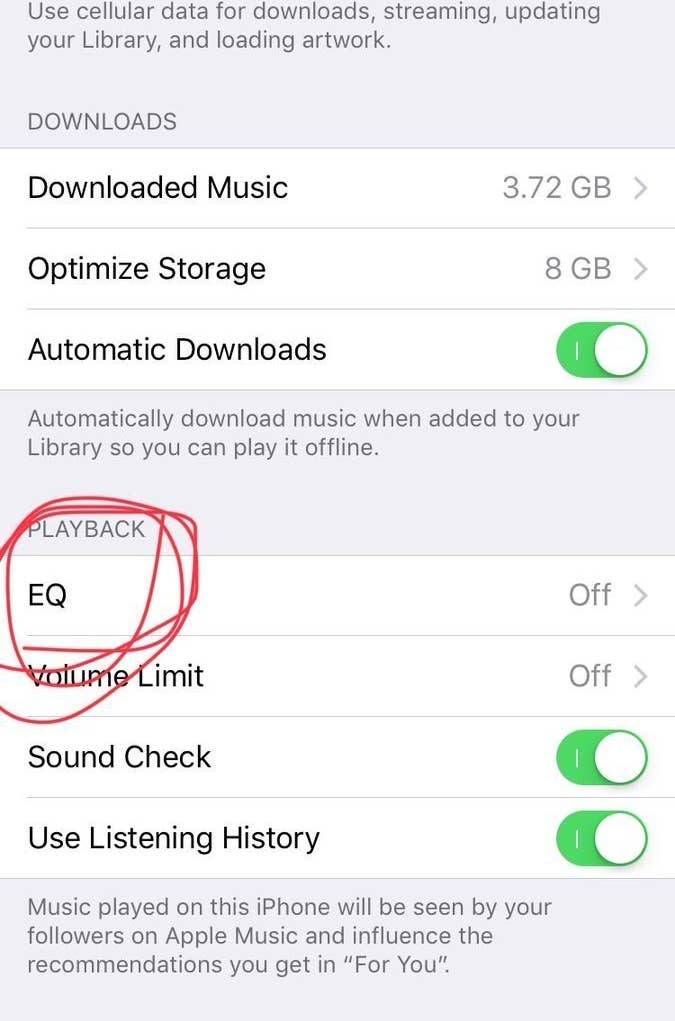
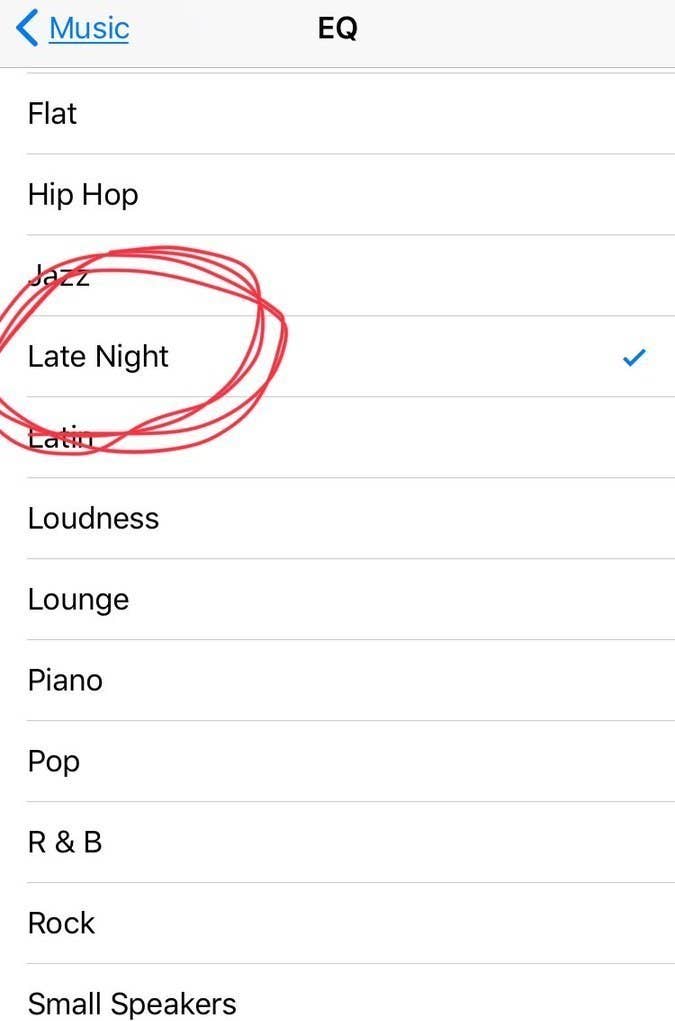
Բարձրացնել բարձրախոսի ձայնը
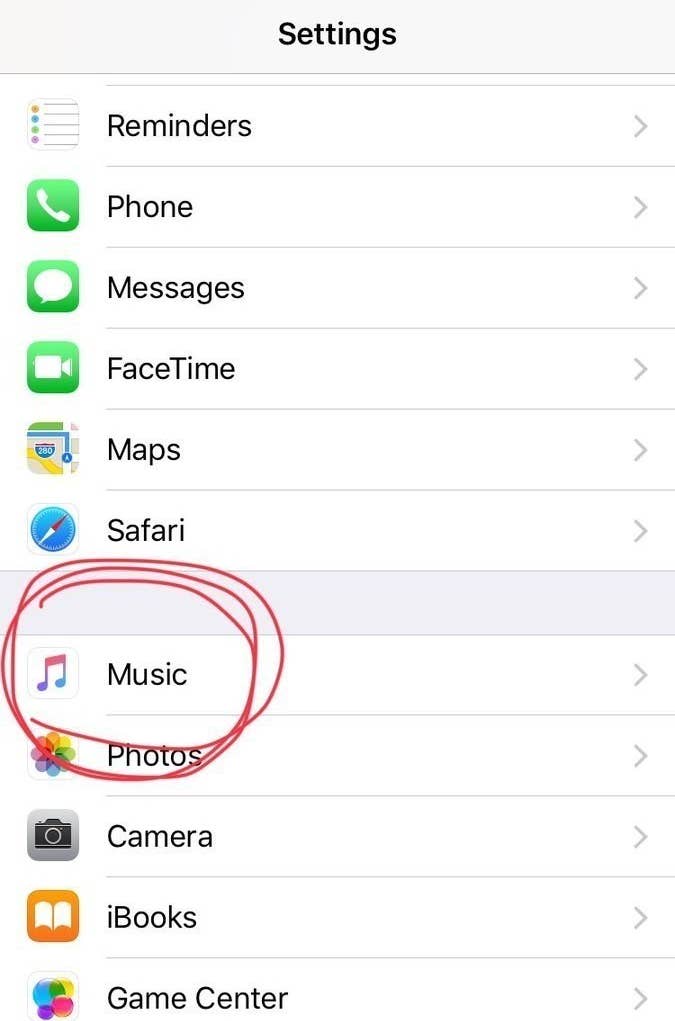
Settings > Music > EQ > “Late Night”.

Սա մի փոքր կբարձրացնի բարձրախոսի ձայնը։ Փորձեք լսել որևէ երգ ու կհամոզվեք ինքներդ։

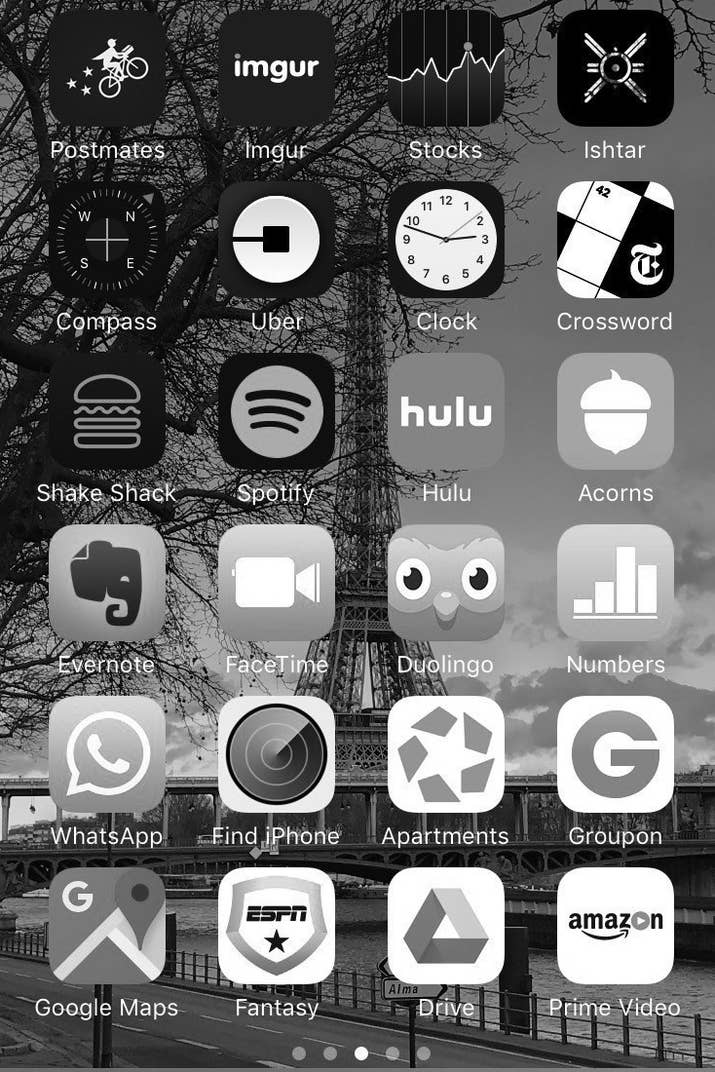
Էկրանը դարձնել մոխրագույն
Այս հնարավորությունն այն մարդկանց համար է, ովքեր գունակուրության պատճառով չեն կարող տեսնել էկրանին որոշ օբյեկտներ, սակայն որոշ մարդիկ պնդում են, որ այս ֆունկցիան նպաստում է այն բանին, որ մարդիկ կախվածություն ձեռք չբերեն հեռախոսից։

Պետք է կատարեք հետևյալ քայլերը. Settings > General > Accessibility > Display Accommodations > Color Filters.

Փնտրել նկար՝ ըստ դրանում պատկերված առարկաների
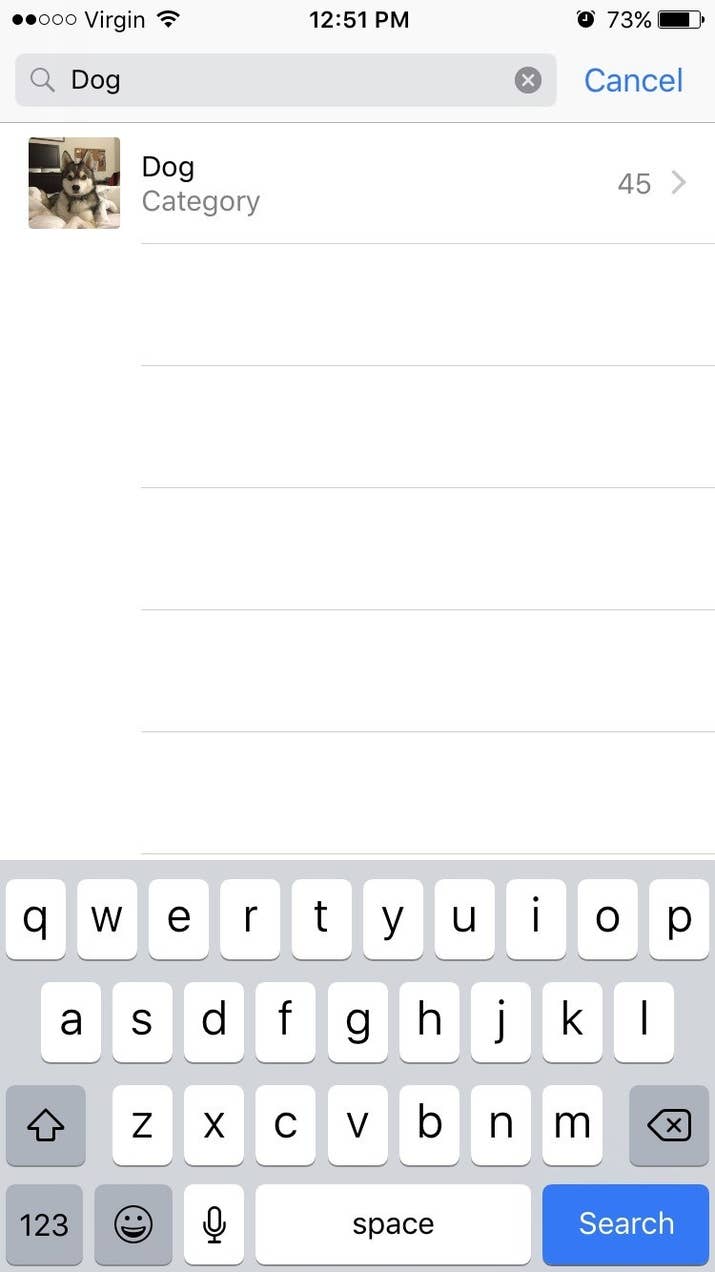
Լուսանկարների բաժնում՝ վերևի մասում, կտեսնեք search նշանը, որը թույլ է տալիս փնտրել նկար՝ պարզապես գրելով այն առարկայի կամ մարդու անունը, ով կա նկարում։ Փորձեք, սա կարծես կախարդանք լինի։

Ընտրել լապտերի պայծառությունը
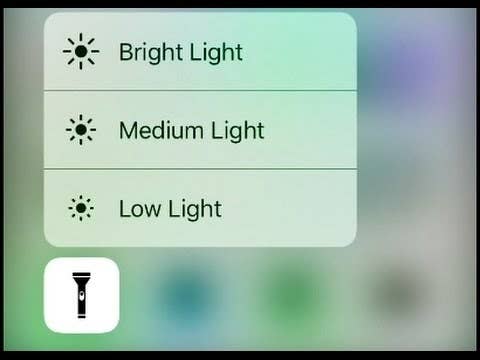
Ձեր հեռախոսի լապտերը չափազանց վառ լույս ունի, բայց եթե մատը սեղմած պահեք լապտերի նշանի վրա, կկարողանաք փոխել պայծառությունը։ Սա հատկապես պետք է գալիս գիշերը, երբ զարթնում եք որևէ բան վերցնելու, բայց չեք ուզում արթնացնել մարդկանց։

Պարամետրերի բաժնից օգտվել միանգամից կարևորագույն ֆունկցիաներից
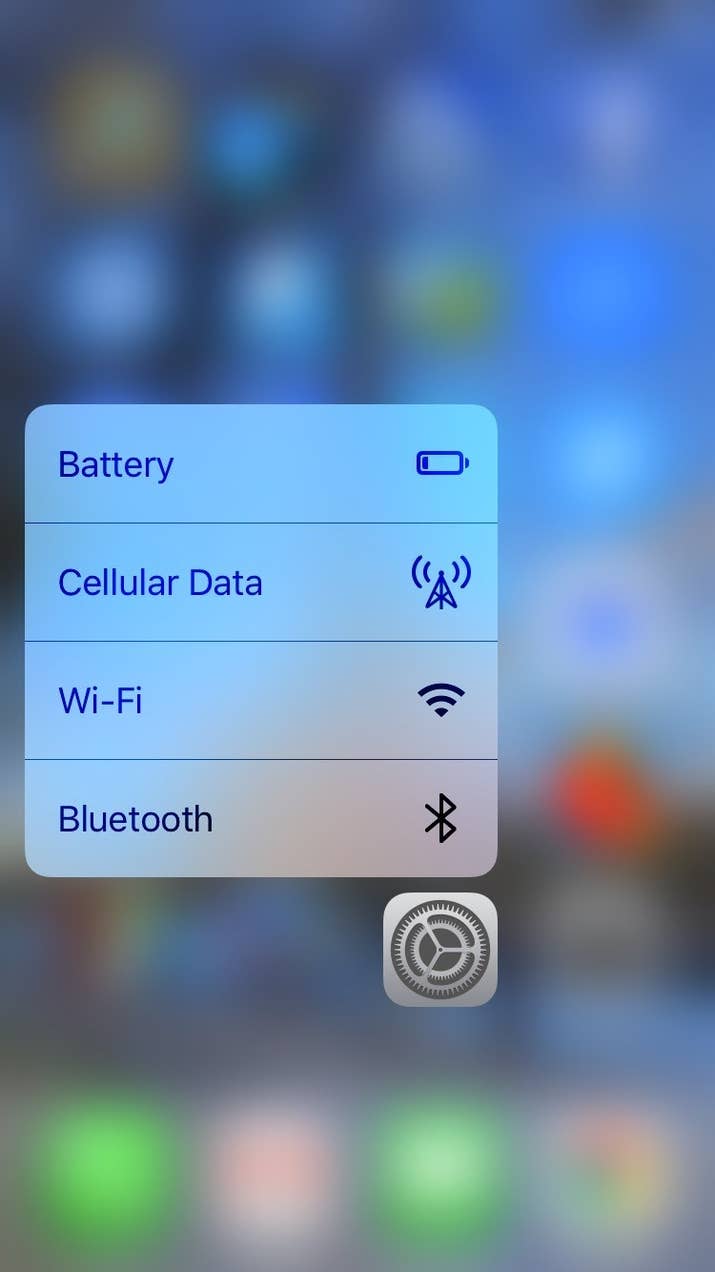
Եթե Դուք օգտագործում եք iPhone 6s կամ հետագա տարբերակներ, ուրեմն՝ կարող եք մի փոքր պինդ սեղմած պահել Settings նշանի վրա, որպեսզի ստանաք 4 կարևորագույն մենյուները՝ Battery, Cellular Data, Wi-Fi և Bluetooth:

 Սահմանափակել երաժշտության զբաղեցրած հիշողությունը՝ ավտոմատ կերպով ջնջելով երգերը, որոնք այլևս չեք լսում
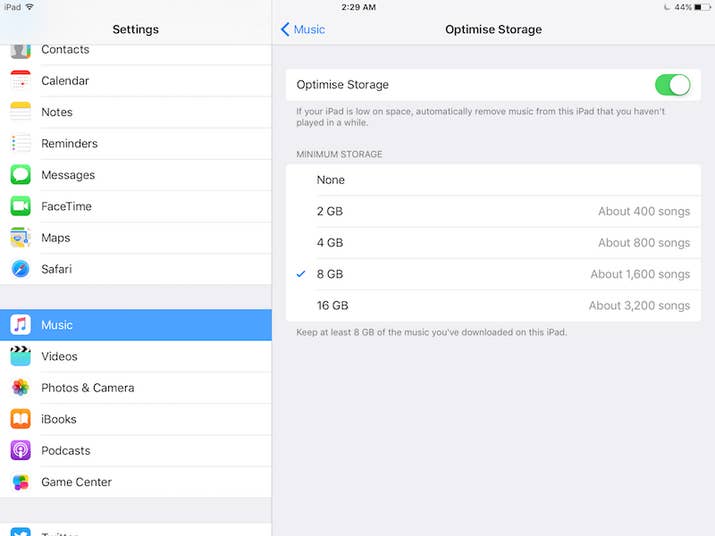
Գնացեք պարամետրերի՝ Settings բաժին, այնուհետև ընտրեք Music բաժինը և ընտրեք հիշողության չափը, որ ուզում եք երգերը զբաղեցնեն։ Դրանից հետո երգերի ծրագիրը կսկսի ավտոմատ ջնջել այն երգերը, որոնք երկար ժամանակ չեք լսել։

Պարզել՝ որտեղ եք կայանել մեքենան
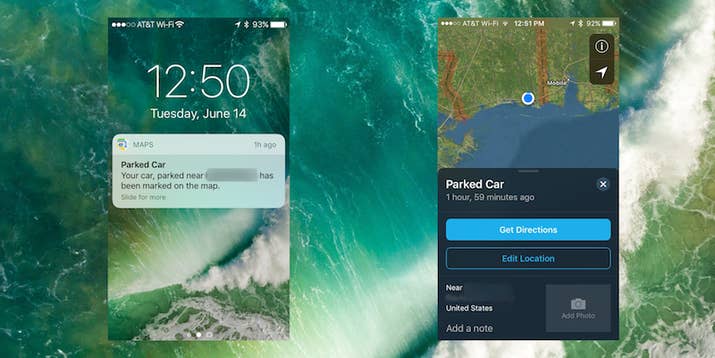
Քարտեզների Maps ծրագիրը հիմա ունի հնարավորություն՝ հիշելու, թե որտեղ եք կայանել Ձեր մեքենան, եթե Ձեր մեքենան ունի Bluetooth ու այն միացրել եք Ձեր հեռախոսին։

Օգտագործել հեռախոսը՝ նկար կախելու համար

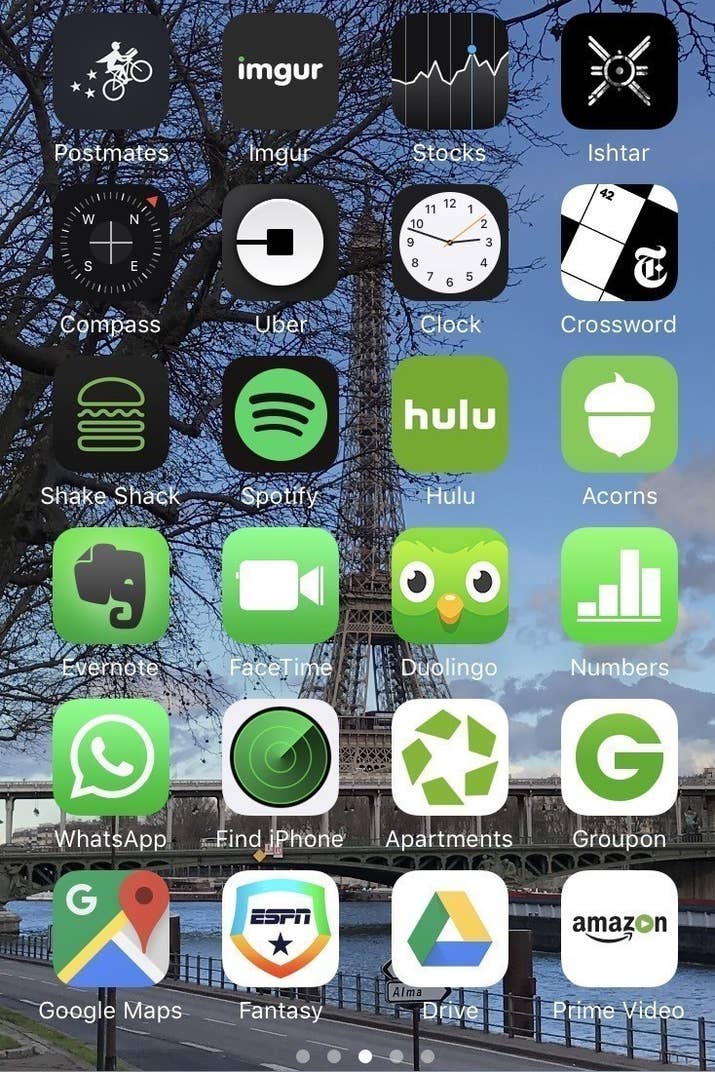
Միացրեք Compass ծրագիրը, սահեցրեք ձախ կողմ ու կկարողանաք օգտագործել Ձեր հեռախոսը՝ հասկանալու համար, թե որ ուղղությամբ կախեք նկարը, որպեսզի ուղիղ լինի։

Ինչ-որ բան հաշվելիս ջնջել ընդամենը մեկ թիվ

Շատ մարդիկ ընդամենը մեկ սխալ անելիս պարզապես ջնջում են ամբողջն ու սկսում նորից անել հաշվարկը, սակայն Calculator ծրագիրը հնարավորություն է տալիս ջնջելու ընդամենը սխալ արվածը։ Պարզապես պետք է սահեցնել մատը այն կողմ, որ թիվը ուզում եք ջնջել։

Հեռախոսը unlock անել՝ առանց մեջտեղի կոճակը սեղմելու
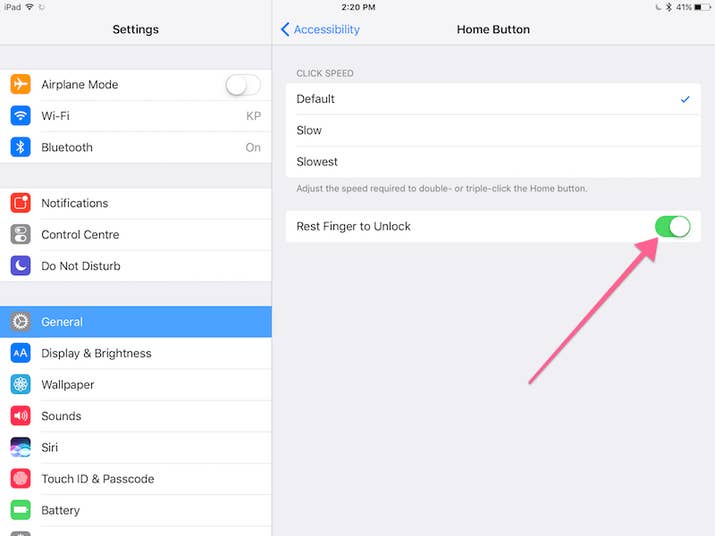
Settings > General > Accessibility > Home Button ու միացրեք “Rest Finger to Unlock” ռեժիմը։

Սարքել իմոջիների Ձեր շորթքաթները
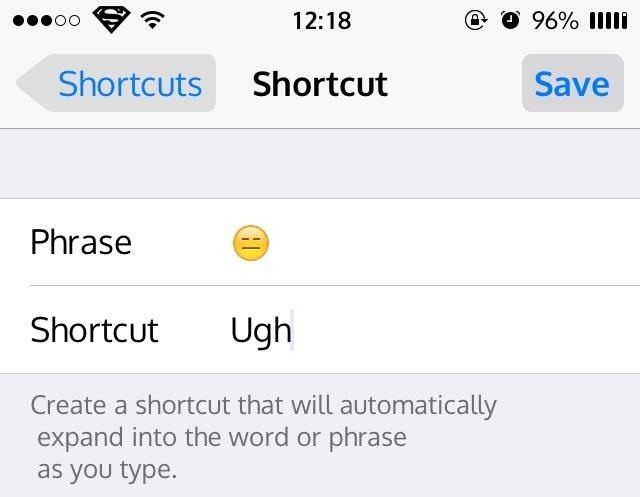
IOS-ի վերջին տարբերակներով հաղորդագրություններ գրելիս կարելի է պարզապես գրել որևէ բան ու ստանալ համապատասխան իմոջին։ Պարզապես գնացեք Settings > General > Keyboard > Text Replacement:

Սա կարող եք օգտագործել նաև հետևյալ կերպ. օրինակ՝ գրեք @@, ու Ձեր հեռախոսը կբերի Ձեր ամբողջական e-mail-ը։

Ուղարկել հաղորդագրություններ՝ տարբեր էֆեկտներով

Եթե սեղմած պահեք ուղարկելու Send կոճակի վրա, ապա կստանաք էֆեկտների մեծ ընտրություն։

Թափահարեք հեռախոսը՝ տեքստ հավաքելիս վերջին գործողությունը չեղարկելու համար

Եթե ինչ-որ տեքստ հավաքելիս մի բան խառնել եք, պատահաբար ջնջել եք գրածը կամ էլ պարզապես փոշմանեցիք ու ուզում եք ջնջել տեքստը, կարող եք թափահարել հեռախոսը՝ Undo Typing ֆունկցիան ստանալու համար։

AraratBank Receives STP Excellence Award from Commerzbank AGWorld Autism Awareness Day reminds us: culture is how we learn to see and embrace one anotherIDBank Receives Commerzbank’s STP Excellence Award 2025IDBank Presented a Special Offer at TOON EXPO 2026FINTECH360 International Conference to Bring Together 500 Participants in YerevanUcom Supports the DemArDem 2026 Regional Youth Forum Prominent Armenian Statesman Levon Sahakyan Passes Away at 89Ucom’s Unity Packages with the Best Fixed Network in Armenia Get 1% idcoin at TOON EXPO with Idram&IDBankUSD 60 Million: Ameriabank Joins Financing of Firebird’s AI Data Center Construction in ArmeniaStatement by Archbishop Bagrat Galstanyan Financial Literacy Course at YSU: Idram and IDBankAmeriabank named the Best Bank in Armenia for 2026 by Global Finance magazine IDBank warns about scams disguised as remote workAraratBank Donates Proceeds from "Armenian Legends and Poems" to the City of Smile Foundation The Power of One Dram Joins the Final Phase of the Symphonic Forest ProjectIdram&IDBank’s Special Offer at Dalma Garden MallUcom’s Management Team Marks International Client’s Day with Subscribers IDBank and Idram Continue Cooperation with the “ZARK” Educational FoundationIDBank issued the 2nd and 3rd tranches of bonds of 2026Ucom Issues Warning on New Wave of Phone Scams IDBank Launches Special Campaign for SWIFT TransfersConverse Bank shares its capital market expertise at the IV Conference Capital Markets ArmeniaUcom’s Level Up+ Packages with the Fastest Mobile Internet in Armenia The Badalyan Brothers Group of Companies Paid about 33.2 Billion AMD in Taxes and Duties to the State in 2025IDBank Announces the Launch of the IDDistributor Financial ToolSafe Workplace as a Guarantee of DevelopmentSpring Promotion at Megamall from Idram&IDBank“We want to buy your item, please provide your card details.” IDBank warns about fraud on classified platforms Ucom Fellowship 2025 Concludes as Top Eco-Startups Secure FundingIDBank Goes International: Mher Abrahamyan's Interview with the Los Angeles TimesAraratBank Earns RIA Money Transfer’s Partner of the Year in Armenia for the Seventh Consecutive YearUcom Supports the “DemArDem 2026” Regional Youth Forum ZCMC еstablishes Sustainability, ESG and Risk Committee Parallels Between the “Real Armenia Ideology” and Soviet and Turkish Approaches to the DiasporaNew Offer - Up to AMD 5 Million - Consolidate your Loans and Switch to AraratBankNew Promotion at Yerevan Mall Ahead of March 8: Idram&IDBankUBPay and MoneyTO Launch Money Transfers from Armenia to the UK In Celebration of the Spring Holidays Ucom Offers Unity Packages on Special Terms Ameriabank Becomes the First Armenian Company in the List of the 100 Largest Companies on the London Stock Exchange as a Member of Lion Finance GroupIDBank Expands Travel Benefits of Premium CardsFree Calls and SMS Messages from Ucom for Subscribers in the Middle EastLove Is… Card by Unibank – An Iconic Design and a Romantic Trip for Two to Paris Customer Appreciation Day at IDBank’s Echmiadzin BranchUcom Fellowship Incubation Program Participants Visit Ucom Individuals and businesses, near and far, all welcomeTrust and reach across the globeChoosing the Best Gifts for March 8 and Paying with the Idram&IDBank AppUcom Spring Offer: HONOR X7d 5G Smartphone and Valuable GiftsAraratBank: Update+ - New Loan Offer with 2% Cashback